Schlagwort: teardowngame

  • How to create a crane in Teardown?

    How to create a crane in Teardown?

    This is a guide how to create a crane in the game called Teardown. This guide was initially written for Teardown version 0.6.2. Things may have changed. Please let me know in the comments and I’ll update the guide.

    This is part II of III in which I explain predefined tags which can be used for vehicles. We’ve a look at the „crane“ tag. Part I covered the basics of creating a custom car and in part III I’ll explain how to handle custom input and custom sounds for a car.

    Prerequisites

    Please visit Part I for the Prerequisites.

    Custom tags explained

    Teardown supports tags for vehicles which make them behave in a certain manner. The following tags exist:
    boat: The vehicle behaves like a boat
    nodrive: The vehicle can’t be driven by the player
    reversebeep: The vehicle makes a beep sound when driving backwards
    dumptruck: All hinge joints are controlled by the Left and right Mouse Button
    crane: All hinge joints are controlled by the Left and right Mouse Button further a vox tagged with „hook“ which has a body as parent can be used as hook by using the Space key
    forklift: All prismatic joints are controlled by the Left and right Mouse Button

    Those tags can be combined when separated with a space. For example use the two tags „dumptruck reversebeep“ which results in a vehicle which moves all the hinge joints by using the left and right mouse buttons and when driven backwards it is beeping.

    Crane in Teardown – modelling

    Now let’s make a crane by using the crane tag and a hook to „hook-up“ things ;-). Based what we learned on Part I we build a vehicle with a body, a back and a front wheel, an arm and a hook. This could look like like that:

    Pickup Crane in MagicaVoxel
    Pickup Crane MagicaVoxel

    Crane in Teardown – tag set-up

    Once we’ve modeled the crane you can use the Editor to set it up or use the below XML template to add in your maps XML:

    
    <vehicle name="pick_up_truck" tags="crane reversebeep" pos="-1.1 0.3 1.2" rot="0 135 0" acceleration="1.2" strength="2">
      <body name="carBody" pos="0.0 0.0 0.0" rot="0 0 0" dynamic="true">
        <vox pos="0.0 0.0 0.0" rot="0 90 0" density="1.2" strength="2" file="LEVEL/pickupCrane.vox" object="body">
          <location name="exhaustRight" tags="exhaust" pos="0.35 1.9 -0.45" rot="0.0 0.0 0.0"/>
          <location name="exhaustLeft" tags="exhaust" pos="0.35 1.9 0.45" rot="0.0 0.0 0.0"/>
          <light name="backLightLeft" pos="-2.3 0.35 -0.45" rot="90.0 0.0 -90.0" type="area" size="0.1 0.1" unshadowed="0.3"/>
          <light name="backLightRight" pos="-2.3 0.35 0.45" rot="90.0 0.0 -90.0" type="area" size="0.1 0.1" unshadowed="0.3"/>
          <light name="frontLightRight" pos="2.2 0.5 0.8" rot="0.0 90.0 0.0" type="cone" color="1 .9 .8" scale="10" angle="90" penumbra="30" size="0.1" unshadowed="0.3" glare="0.3"/>
          <light name="frontLightLeft" pos="2.2 0.5 -0.8" rot="0.0 90.0 0.0" type="cone" color="1 .9 .8" scale="10" angle="90" penumbra="30" size="0.1" unshadowed="0.3" glare="0.3"/>
          <location name="vital" tags="vital" pos="1.75 0.35 0.0"/>
          <location name="playerPosition" tags="player" pos="0.5 1.3 -0.3" rot="0.0 -90.0 0.0"/>
        </vox>
        <wheel name="bl_1" pos="-1.05 0.05 2.05" drive="1" travel="-0.1 0.2">
          <vox pos="0.05 -0.35 0.05" rot="0.0 90.0 0.0" file="LEVEL/pickupCrane.vox" object="wheel_back"/>
        </wheel>
        <wheel name="br_1" pos="1.05 0.05 2.05" drive="1" travel="-0.1 0.2">
          <vox pos="0.05 -0.35 0.05" rot="0.0 90.0 0.0" file="LEVEL/pickupCrane.vox" object="wheel_back"/>
        </wheel>
        <wheel name="bl_2" pos="-0.75 0.05 2.05" drive="1" travel="-0.1 0.2">
          <vox pos="0.05 -0.35 0.05" rot="0.0 90.0 0.0" file="LEVEL/pickupCrane.vox" object="wheel_back"/>
        </wheel>
        <wheel name="br_2" pos="0.75 0.05 2.05" drive="1" travel="-0.1 0.2">
          <vox pos="0.05 -0.35 0.05" rot="0.0 90.0 0.0" file="LEVEL/pickupCrane.vox" object="wheel_back"/>
        </wheel>
        <wheel name="fl" pos="-0.9 0.05 -1.75" drive="1" steer="1" travel="-0.1 0.2">
          <vox pos="0.0 -0.35 0.05" rot="0.0 90.0 0.0" file="LEVEL/pickupCrane.vox" object="wheel_front"/>
        </wheel>
        <wheel name="fr" pos="0.9 0.05 -1.75" drive="1" steer="1" travel="-0.1 0.2">
          <vox pos="0.0 -0.35 0.05" rot="0.0 90.0 0.0" file="LEVEL/pickupCrane.vox" object="wheel_front"/>
        </wheel>
      </body>
      <body dynamic="true">
        <vox name="hook" tags="hook unbreakable" pos="0.1 0.0 5.7" rot="0 90" density="4" prop="false" file="LEVEL/pickupCrane.vox" object="hook"/>
        <rope pos="0.1 3.1 5.7">
          <location pos="0.05 0.7 -0.3" rot="0.0 0.0 0.0"/>
          <location pos="-0.05 -2.45 -0.05" rot="0.0 0.0 0.0"/>
        </rope>
        <rope pos="-0.1 3 5.6">
          <location pos="-0.05 0.8 -0.2" rot="0.0 0.0 0.0"/>
          <location pos="0.15 -2.35 0.05" rot="0.0 0.0 0.0"/>
        </rope>
      </body>
      <body pos="-0.0 2.3 1.0" rot="50.0 0.0 0.0" dynamic="true">
        <vox pos="0.0 1.9 1.8" rot="0.0 90.0 -90.0" density="1.2" strength="3.0" prop="false" file="LEVEL/pickupCrane.vox" object="arm">
          <joint pos="2.45 0.2 -0.2" rot="0.0 0.0 0.0" type="hinge" size="0.1" rotstrength="0.1" rotspring="0" limits="-60 45"/>
          <joint pos="2.45 0.2 0.2" rot="0.0 0.0 0.0" type="hinge" size="0.1" rotstrength="0.1" rotspring="0" limits="-60 45"/>
          <rope name="holderRope1" pos="-2.0 0.5 0.0" rot="0 90" slack="-0.5">
            <location pos="-0.15 0.0 0.0" rot="0.0 0.0 0.0"/>
            <location pos="-0.35 1.7 5.0" rot="0.0 0.0 0.0"/>
          </rope>
          <rope name="holderRope2" pos="-2.0 0.3 0.0" rot="0 90" slack="-0.5">
            <location id_="1234249216" pos="0.15 0.2 -0.0" rot="0.0 0.0 0.0"/>
            <location id_="1907017344" pos="0.35 1.8 5" rot="0.0 0.0 0.0"/>
          </rope>
        </vox>
      </body>
    </vehicle>
    

    Note that the hook vox needs to be a stand alone dynamic body within the vehicle in order to work properly. Also be aware that using the „crane“ tag makes ALL hinge joints moving when pressing the left or right mouse button. So if you plan to have for example doors on your crane and use hinge joints they would also move.

    Crane in Teardown – Finished result

    The result could look something like that:

    Pickup crane in Teardown game
    Pickup crane in game

    If you missed Part I which covered the basics of creating a custom car you can read it up here. In the part III I’ll explain how to handle custom input and custom sounds for a car.


    More interesting details about Teardown:
    Teardown FAQ
  • How to create a custom car in Teardown?

    How to create a custom car in Teardown?

    This is a guide to create a custom car in the game called Teardown. This guide was initially written for Teardown version 0.6.2. Things may have changed. Please let me know in the comments and I’ll update the guide.

    This is part I of III in which I explain the basics of creating a custom car. In part II I’ll explain predefined tags which can be used for cars. Finally in part III I’ll explain how to handle custom input and custom sounds for a car.

    Prerequisites

    • A copy of Teardown.
    • A copy of the free software MagicaVoxel. Any software can be used which can create *.vox files.

    Custom car modelling

    The first thing is to create a car model. The most basic car needs at least two elements: a car body and wheels.
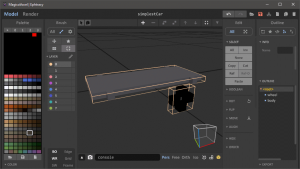
    Download the Teardown color palette vox file to start your car from here. Open this file using MagicaVoxel and create something like this:

    Simplest Car
    • Vehicle body size: 20 10 1
    • Wheel size: 3 1 3

    Car set-up

    When you first set-up your car in a maps XML file you may end up with something like this:

    Car after initial XML set-up

    The car’s body and wheels don’t match. Usually I copy my car template and paste it in the map’s XML file. Alternatively you can do that in the built-in Teardown Editor as well.

    <vehicle name="simplestCar" pos="0.0 0.3 0.0" rot="0 0 0">
      <body name="carBody" pos="0.0 0.0 0.0" rot="0 0 0" dynamic="true">
        <vox pos="0.0 0.0 0.0" rot="0 -90 0" density="1.2" strength="2" file="LEVEL/simplestCar.vox" object="body">
          <location name="playerPosition" tags="player"  pos="-0.8 0.2 -0.0" rot="0.0 90.0 0.0"/>
          <location name="smokeExhaust"   tags="exhaust" pos="1.0 0.1 -0.3"  rot="0.0 -90.0 0.0"/>
        </vox>
        <wheel name="fl" pos="0.45 0.05 -0.75" drive="1" steer="1" travel="-0.1 0.2">
          <vox pos="0.05 -0.15 0.05" rot="0.0 90.0 0.0" file="LEVEL/simplestCar.vox" object="wheel"/>
        </wheel>
        <wheel name="fr" pos="-0.45 0.05 -0.75" drive="1" steer="1" travel="-0.1 0.2">
          <vox pos="0.05 -0.15 0.05" rot="0.0 90.0 0.0" file="LEVEL/simplestCar.vox" object="wheel"/>
        </wheel>
        <wheel name="bl" pos="0.45 0.05 0.75" drive="1" travel="-0.1 0.2">
          <vox pos="0.05 -0.15 0.05" rot="0.0 90.0 0.0" file="LEVEL/simplestCar.vox" object="wheel"/>
        </wheel>
        <wheel name="br" pos="-0.45 0.05 0.75" drive="1" travel="-0.1 0.2">
          <vox pos="0.05 -0.15 0.05" rot="0.0 90.0 0.0" file="LEVEL/simplestCar.vox" object="wheel"/>
        </wheel>
      </body>
    </vehicle>

    Note that you have to load the separate objects from the vox file. Here the car’s vox file is named „simplestCar.vox“ and the two objects are „body“ and „wheel“ (see MagicaVoxel screenshot as well).

    Center wheels

    The probably most misunderstood task on a car set-up is how to center the wheels. Since every wheel needs to be enclosed with a wheel tag (or just wheel in the editor) the inner vox must be centered in the wheel tag. This can be done by adjusting the position parameter for the inner vox.

    Vox wheel position (blue outliend)
    Wheel position (white outlined)
    Centered vox in wheel position

    Other required tags

    Other than the wheels, a car is required to have the following location tags to work in Teardown: none 😉
    After some tests I conclude there are no location tags required at all in order for a car to be driven. Of course it makes sense to go through the available tags to get some more control over some stuff.

    The players position

    The player position can be set using the „player“ tag.
    // <location tags=“player“ …
    It’s the position and rotation of the camera when the player drives the custom car in Teardown. There can be multiple location nodes with a „player“ tag. But it doesn’t make sense to have multiple ones and Teardown will just take the latest one as the players location.

    The smoke exhaust

    The (smoke) exhaust location tag is where smoke will emit once the car is driven by the player. It can have multiple such nodes.
    // <location tags=“exhaust“ …

    Finished result

    If you have followed this guide you should get this result:

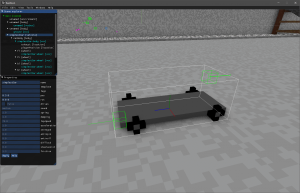
    Simplest Car in Editor

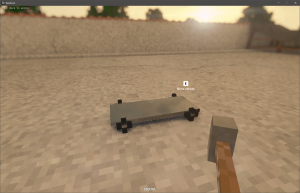
    Simplest Car in game

    This is it, for the first part of this guide. In the next part we will have a look at car tags.


    More interesting details about Teardown:
    Teardown FAQ
  • Teardown Game FAQ extended

    Teardown Game FAQ extended

    This is an unofficial extended FAQ about the Teardown game with information found in online resources. You can find the official Teardown FAQ on www.teardowngame.com

    About the game and its mechanics

    What mission modes are known so far?

      • Collect control interfaces/computer units
      • Destroy gas tanks
      • Secure cars

    Can I break out collectable objects from the wall without the alarm getting off?

    Are there different missions on the same map?

      • Yes.

    How many levels will there be in the game?

      • So far there are four levels known. They are currently named as:
        • „Löckelle wrecking company”
        • „Evertides mall”
        • „Mr Amanatides fish processing plant”
        • “Ghosts in the machine“

    What effects were seen so far for one level?

      • Weather effects
      • Day/Night mode

    What if you don’t escape in time?

      • You get caught and a little animation sequence is shown.

    Can the player die in the game?

    How many vehicles are currently in the game?

    How many weapons/tools are in the game?

      • So far there were counted 10 weapons and tools which are:
        • Sledge, Gun, Shotgun, Pipe bomb, Rocket, Bomb, Plank, Spraycan, Extinguisher, Blowtorch

    Will there be a slow motion mode?

      • No, according to Dennis it won’t be part of the gameplay.

    Will the game support multiplayer?

    About the game development and modding

    Will there be a game level editor?

      • No, but for more details see modding support. It’s unclear if the internal used game level editor will be available.

    Will there be modding support?

      • Yes. In the beginning the support will be limited like loading scenes directly from MagicaVoxel, later scripting and other game modes could be supported and after that maybe also custom weapon mods. 

    What program is used to build the objects/buildings/cars?

    What program is used to build the game levels?

      • The game editor is now part of the game itself.

    What are the limitations of a map?

    In what language is the game written?

    What is the Teardown game engine?

      • The Teardown game engine is a custom game engine built by Tuxedo Labs. As it states on the Teardown website: 
    The game uses a custom physics and graphics engine built for this game specifically. It uses raytracing for lighting, but does not require an RTX GPU.

    Are the modding tutorials for the Teardown game?

      • Check out my other pages for Teardown modding tutorials here and here.

    About the game publication

    Where will I be able to buy the game?

      • You can download the Teardown game on Steam.

    Will there be a demo version or an early access on Steam of the game?

      • So far in non of the shared information they talked about gave a hint for a demo version or an early access version.

    How much will Teardown game be priced?

      • The early access price of Teardown is currently at about 20$. Check the Steam page for the price in your country.

    With which company is the game published?

    Will there be a mobile release of the game?

    About hardware

    What are the PC specs of the computer Dennis shows the game on?

      • GTX 1080 graphics card
      • Core i7 quad core CPU

    What are the system requirements for the game?

    As always let me know in the comments if you heard something new about the game.


  • Let’s play Teardown

    Let’s play Teardown

    Teardown

    Wieder möchte ich euch über Teardown Spiel berichten. Der letzte Post fasst das Grundprinzip des Voxel-Destruktions-Spiels zusammen.

    In der Zwischenzeit haben Dennis Gustafson und @Resident_Emil zwei Live Streams zum Spiel gehalten.

    Im ersten Stream ging es vor allem um technische Einzelheiten des Spiels und Anforderungen an die Computer Hardware.  Im zweiten Stream spielt Dennis zwei Komplete Levels durch.

    Die aufgezeichneten Streams findet ihr hier:
    1. Technisch
    2. Let’s play

    Was gibt es neues?

    Geschichte des Spiels

    Gemäss Aussage von Dennis hat das Spiel eine Geschichte. Wenn ich das richtig interpretiere könnte man sogar von einer „Singleplayer Campagne“ sprechen.

    Die eine Karte des Spiels heisst „Löckelle wrecking company“ was soviel heisst wie „Abbruchunternehmen Löckelle“. Der Spieler wird vermutlich Inhaber oder Vertreter dieser Firma sein und verschiedene Aufträge annehmen und ausführen.

    Gas Tanks zerstören

    In einem anderen Stream spricht Dennis von Tools upgrades und Missionen die man sich dort abholen kann. Es gibt also eine Art „Homebase“.

    Was könnte da noch dahinter stecken? Was denkt ihr könnte die Story hinter dem ganzen Spiel sein?

    Quick Save und Quick Load

    In den beiden Live Streams wurde die Funktion „Quick Save“ und „Quick Load“ vorgestellt. Die Funktion erlaubt es euch während der Vorbereitungsphase, also bevor ihr das erste Ziel/Computer eingesammelt/ausgeschalten habt, die Spielwelt zu speichern und danach auf diesen Stand zurück zu kehren?

    Quick save and quick load
    Quick save and quick load

    Somit kann eigentlich gar nichts schiefgehen solange man diese Funktion benutzt. Es war wohl interessant die Funktion im Live Stream in Aktion zu sehen, doch frage ich mich ob es das Spiel damit zu einfach macht.

    Was denkt ihr darüber braucht es Quick Save und Quick Load?

    Missionstypen

    Wie in meinem letzten Post beschrieben waren bisher zwei Missionstypen bekannt.

    • Objekte/Ziele einsammeln z.B. Computer
    • Objekte zerstören z.B. Gas Tanks

    Nun wurde bekannt, dass es auch Missionen geben wird, bei welchen man

    muss. Natürlich wie üblich mit Vorbereitungsphase und Ausführungsphase, wobei man für die Ausführungsphase limitierte Zeit hat.

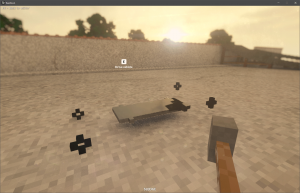
    Teardown steal cars
    Teardown steal cars game mode

    Kennt ihr eventuell noch andere Spielmodi die unterstützt werden?
    Welche anderen Spielmodi könntet ihr euch vorstellen?

    Erfahrt weitere spannende Details über das Spiel in erweiterten FAQ über Teardown hier.

  • Teardown – Das Voxel Spiel

    Teardown – Das Voxel Spiel

    Teardown

    Dennis Gustafsson von tuxedolabs kündigte am 1. Oktober 2019 offiziell sein Spiel „Teardown“ mit einem YouTube Video an.

    Das Video wurde bisher über eine Million Mal angesehen und es verspricht einiges: Zerstörbare Umgebungen, Elastische Leitungen, Fahrzeuge und vieles mehr. Schaut es euch an.

    Worum geht es im Spiel?

    Das Spielprinzip besteht aus zwei Phasen, einer Planungs- und einer Renn-Phase.
    In der Spielwelt sind Gegenstände versteckt und es geht darum diese einzusammeln. In der Planungs-Phase sollen diese so gut wie mögilch zugänglich gemacht werden damit in der Renn-Phase diese so schnell wie möglich eingesammelt werden können. In der Planungs-Phase wird kein Zeitlimit bestehen. In der Renn-Phase müssen alle Gegenstände eingesammelt werden bevor die Security kommt.

    In der Planungs-Phase darf fast alles zerstört, verschoben, bereit gestellt und „umgebaut“ werden was möglich ist. Sobald jedoch ein einzusammelnder Gegenstand berührt/eingesammelt wird, geht die Renn-Phase los und es müssen alle Gegenstände eingesammelt werden und zum Escape-Punkt gelangt werden ohne von der Security erwischt zu werden. Es wird auch Missionen mit anderen Zielen geben. So zum Beispiel soll ein Missions-Ziel sein, gewisse Objekte zu zerstören.

    Wann ist Release-Termin?

    Das geplante Release-Termin ist zweite Hälfte 2020, zum jetzigen Zeitpunkt gibt es jedoch kein Release-Termin. Das Spiel kann man allerdings auf Steam bereits auf seine Wunschliste hinzufügen.

    Features

    Von all dem Material das Dennis Gustafsson auf Twitter gepostet hat würde ich dem Spiel die folgenden Features geben.

    Welten

    Kürzlich hat Dennis auf dem tuxedolabs Twitter Account mögliche Spiel-Welten vorgestellt. Hier einige davon:

    Löckelle wrecking company

    Teardown Map

    Evertides mall

    Teardown Map

    Mr Amanatides fish processing plant

    Teardown Map

    Entwickler-Team

    Gemäss Nachforschungen sind folgende Personen involviert:

    Weitere Artikel dazu:
    Teardown Spiel extended FAQ
    Let’s play Teardown